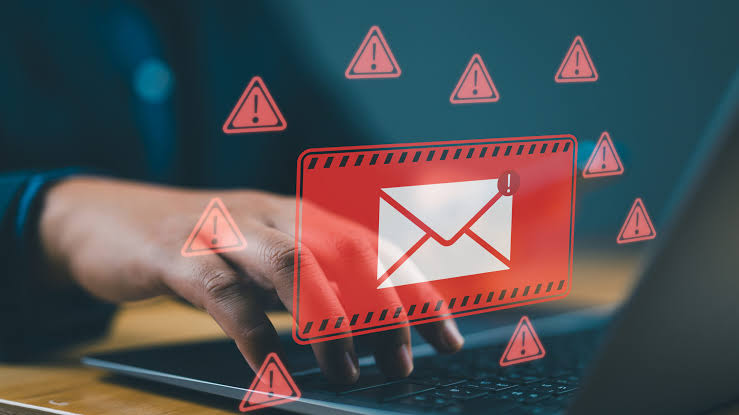
Phishing is one of the most common ways accounts get compromised. Attackers send messages that look legitimate and try to trick you into clicking, logging in or paying. Learning the red flags takes a few minutes and can save you from serious losses.
1. Urgent or Threatening Language
“Your account will be closed in 24 hours” or “Immediate action required” is designed to make you act before thinking. Legitimate companies rarely demand instant action by email.
2. A Suspicious Sender Address
The display name may say “PayPal” or “Your Bank,” but check the actual address. Look for misspellings, extra characters, or unrelated domains, such as [email protected].
3. Generic Greetings
Messages that start with “Dear customer” or “Dear user” from a company that should know your name are a warning sign. Note that some phishing is personalized, so a name alone isn’t proof.
4. Links That Don’t Match
Hover over a link (without clicking) to preview the real destination. If the text says one site and the link goes elsewhere, don’t click. On mobile, press and hold the link to preview it.
5. Unexpected Attachments
Be wary of invoices, shipping notices or “documents” you weren’t expecting, especially ZIP files, Office files asking to enable macros, or unusual file types. Attachments are a common way to deliver malware.
6. Requests for Sensitive Information
Real organizations don’t ask you to send passwords, PINs, full card numbers or one-time codes by email or text. Any message asking for these is suspicious.
7. Poor Spelling and Odd Formatting
Typos, awkward phrasing and mismatched logos are classic signs. Be aware that AI tools now make phishing text more polished, so clean writing doesn’t mean a message is safe.
8. Offers That Seem Too Good to Be True
Unexpected prizes, refunds, inheritances or job offers are common bait. If you didn’t enter a contest, you didn’t win it.
9. Unusual Payment Requests
Messages that claim to be from your boss or a vendor and ask for gift cards, wire transfers or a changed bank account should be verified by phone, using a number you already know. This is often called business email compromise.
10. It Just Feels Off
Trust your instincts. If the timing, tone or request is unusual, pause and verify before acting.
What to Do If You Spot a Phishing Email
- Don’t click links or open attachments.
- Report it using your email provider’s “Report phishing” option.
- Verify independently. Go to the company’s official website or app directly, or call a number you trust.
- Delete the message.
- If you already clicked or entered details, change that account’s password immediately, enable two-factor authentication, and contact your bank if financial details were shared. Update the same password anywhere else you used it.
How to Protect Yourself Long-Term
- Use a password manager so you never type credentials into a fake site.
- Turn on two-factor authentication, ideally with an authenticator app or security key.
- Keep your devices and browser updated.
- Use your email provider’s spam filters.
- Train family members and employees, since one click can affect everyone.
FAQ
What is the difference between phishing and spam? Spam is unwanted bulk mail. Phishing is a deliberate attempt to steal information or money.
What is spear phishing? Targeted phishing that uses personal details about you or your company to seem more convincing.
Can phishing happen by text or phone? Yes. Text-based phishing is called smishing, and voice-based is vishing. The same red flags apply.
Final Thoughts
The best defense is slowing down. When a message creates pressure, stop and verify through a separate, trusted channel.